IntegralDots VerifyFlow Verified onboarding platform
Applicant facts confirmed with the official sources, under one consent.
VerifyFlow signs applicants in with Nafath, records their consent once, and assembles their profile from the national platforms that already hold the facts. Your eligibility rules decide, and explain each result. Officers see only the exceptions, each with its evidence. Each programme sets its own journeys, sources, rules and fees through configuration.
- Built forGovernment programmes, licences and account opening
- Verifies withNational identity, government and open banking platforms
- Applicant uploadsNone by default, kept as a fallback
- RunsIn your environment or government cloud
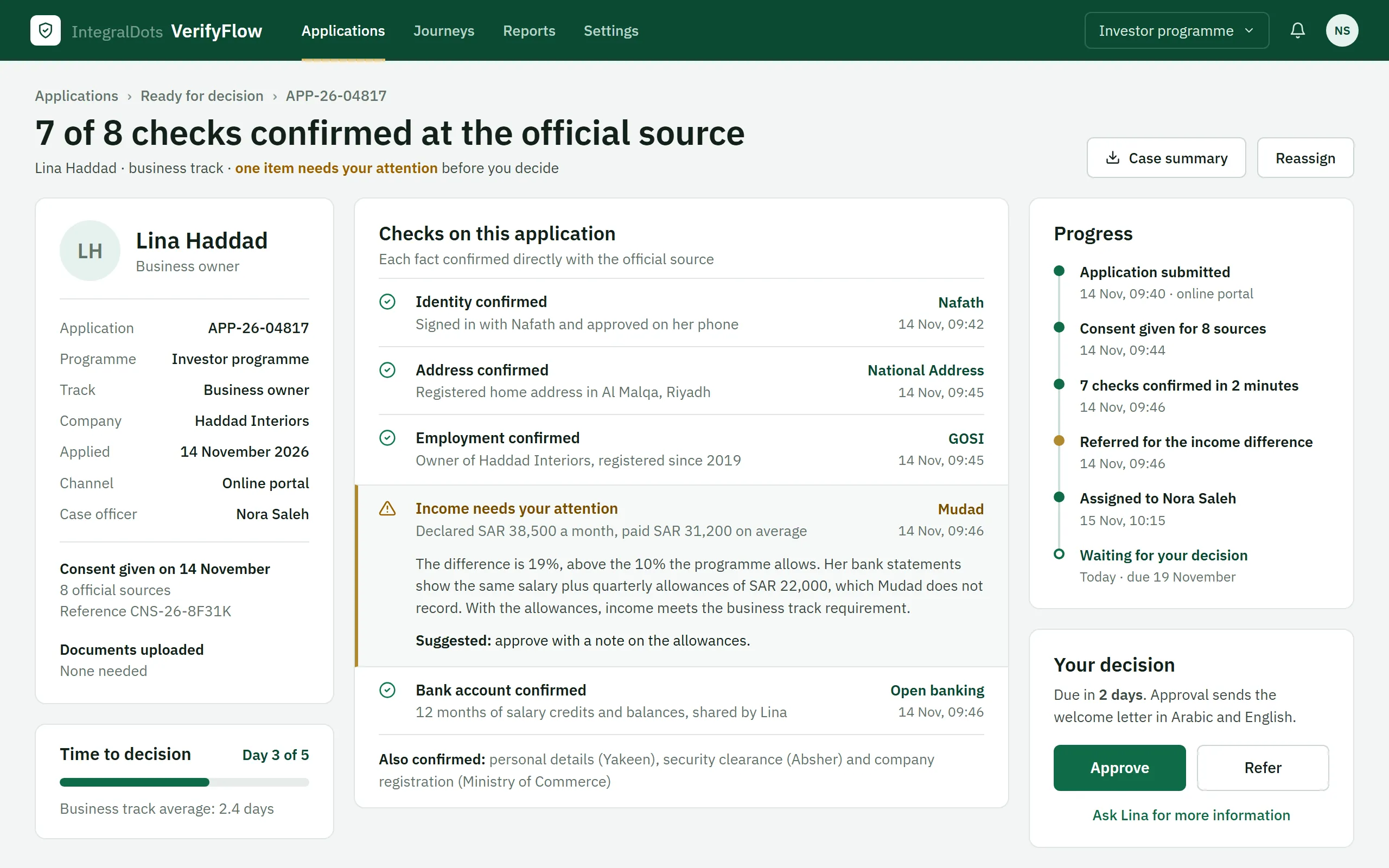
- Applicant profileThe application, programme track, case officer and consent reference on one card, with the time against the decision target.
- Checks with their sourceEach fact in plain language, with the official source that confirmed it and the time of the check.
- One item explainedThe income difference shows both figures, why the case was referred and a suggested outcome.
- Progress and decisionA timeline from submission to today, the days left before the decision is due, and the Approve and Refer buttons.
Product screens show demo data.
Applicants prove on paper what the state already knows.
Most onboarding still asks people to collect, attest and upload documents: salary certificates, bank statements, proof of address, family records. Staff then check them by hand. The same facts already sit, verified, in government platforms and SAMA-regulated banks. Investor and business programmes, licences and permits, beneficiary enrolment and account opening all pay the same price.
- Document chasingApplicants gather, translate and upload papers. Every missing or unclear one restarts the cycle with a request for information.
- Manual checkingSkilled officers spend their day comparing documents instead of making the judgement calls only they can make.
- Forgery exposureUploaded statements and letters can be fabricated, and manual review cannot reliably catch it at volume.
- Repeat at every changeRenewals, upgrades and added family members repeat the same collection from the start.
Five steps from sign-in to decision.
The journey has the same shape for an investor programme, a licence or a bank account. What changes is configuration: which sources, which rules, which fees.
Sign in
Applicants authenticate with Nafath, so there is no new account or password to manage and identity assurance is strong from the first screen.
Consent
The applicant sees what will be fetched, from where and why, and agrees once. Consent is granular, revocable and recorded with a reference.
Assemble
Connectors fetch each fact at source and prefill the profile. Upload stays available, per document type, for anything a source cannot confirm.
Decide
The rules engine checks eligibility and explains each result. Clean cases go straight through; mismatches and policy exceptions go to an officer.
Pay and track
Fees are paid in one checkout. Each status change is published once and reaches the portal, SMS, email, push, IVR and the call centre.
Configurable parts for each programme.
National platforms, ready to connect
Nafath, Yakeen, Absher and other MOI and Jawazat services, GOSI, Mudad, National Address and SAMA Open Banking for account information and payment initiation. Government platforms connect through the DGA Government Service Bus, and sign-in and identity checks run on KYCLink.
One consent, referenced by every fetch
Granular by source, revocable and aligned with PDPL. No fetch runs without a consent reference, and applicants can see what was shared and why.
Eligibility rules officers can read
Versioned rules in business terms, tested against past applications and approved by a second person. The same rules give applicants an instant pre-eligibility check.
One evidence chain per fact
Source, timestamp and consent reference for every fact. Only the evidence the decision needs is kept: a security clearance is stored as a pass or fail result, never as a record.
Officers handle exceptions only
Mismatches, low-confidence results and policy exceptions reach the workbench with both values and their sources side by side. Clean cases never wait in a queue.
One checkout, one status
Programme, verification and service fees in one basket, paid once, then settled and reconciled automatically. Status events reach every channel from one source.
Built for the people who run the programme.
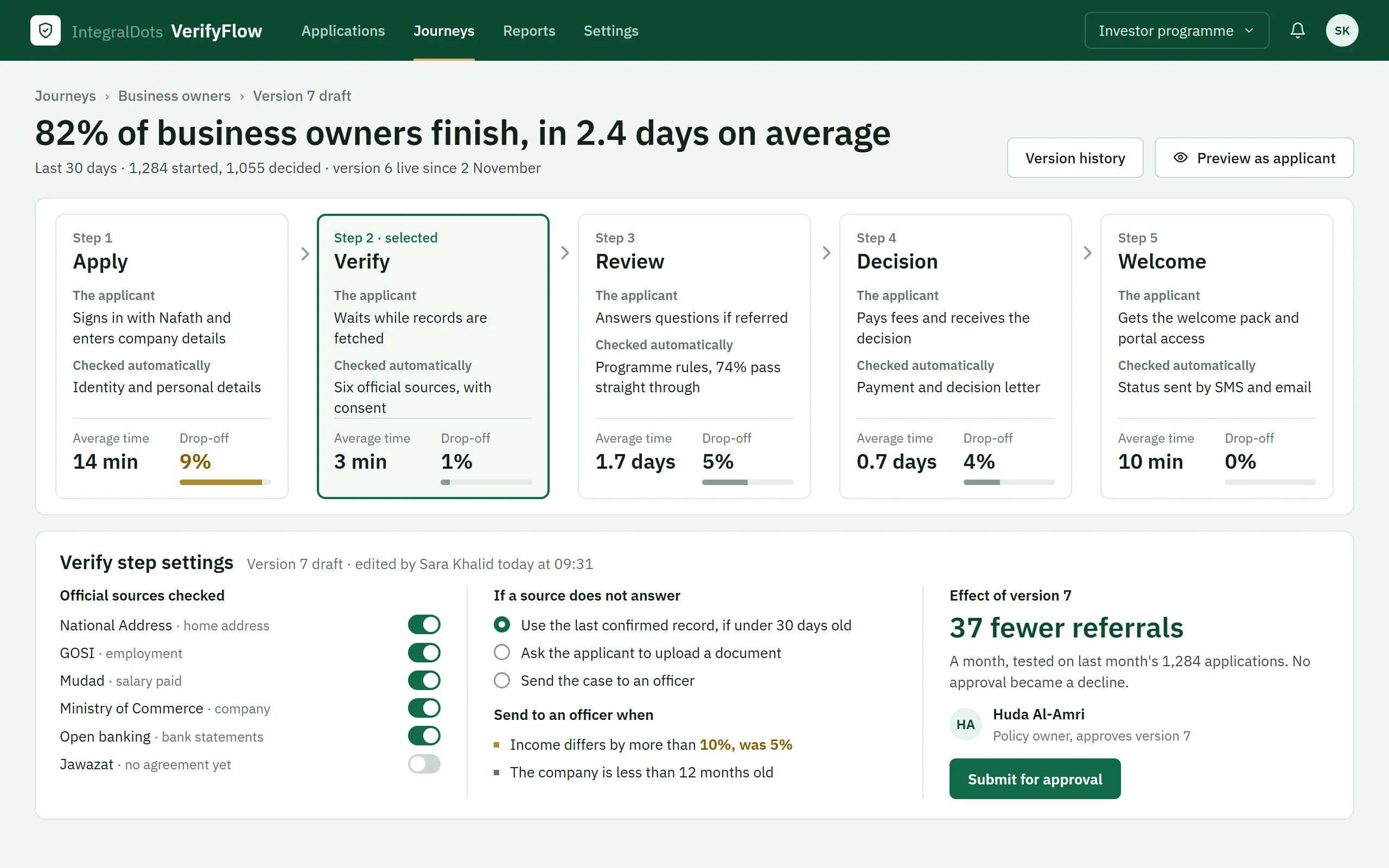
Journeys policy owners can read and change
Each step of the business owner journey shows what the applicant does, what is checked automatically, the average time and how many applicants stop there. A change to a step is tested on past applications and approved by a second person before it goes live.
- Journey outcomeThe share of applicants who finish and the average time, over the last 30 days.
- Where applicants stopDrop-off for each step. Here the Apply step loses the most, at 9%.
- Selected stepThe Verify step is open, with the applicant's part and the automatic checks.
- Sources and fallbacksWhich official sources are checked, what happens when one does not answer, and when a case goes to an officer. Sources without an agreement, like Jawazat here, stay off.
- Effect and approvalThe tested effect of the change on last month's applications, and the policy owner who approves it.
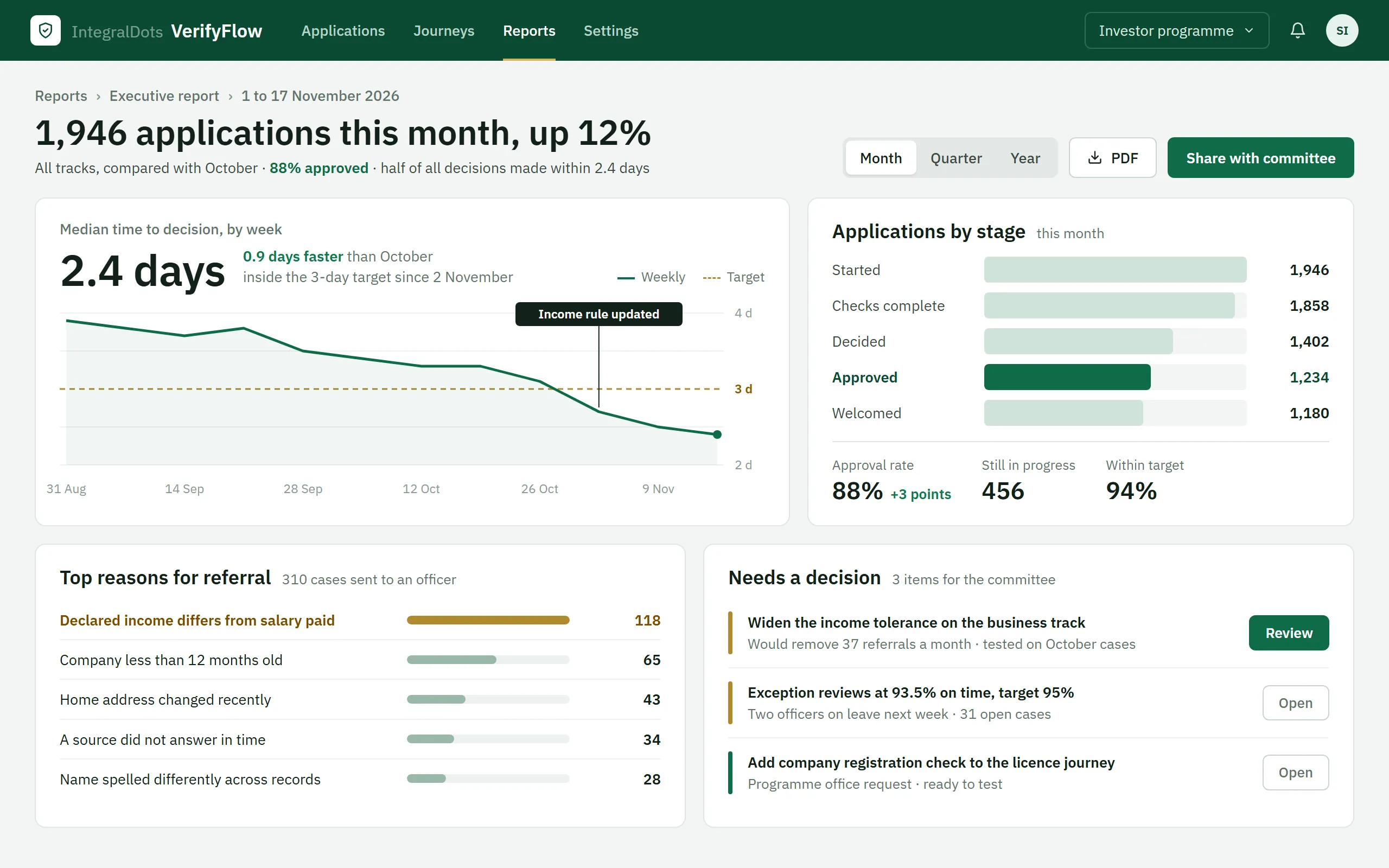
An executive view built from the audit trail
Programme leaders see volume, approval rate and time to decision against target. The figures come from the records the platform already keeps, so there is no separate reporting feed to reconcile.
- Month at a glanceApplications this month against last month, with the approval rate.
- Time to decisionThe weekly median against the 3-day target, with the rule change that moved it.
- Applications by stageFrom started to welcomed, with the number still in progress and the share within target.
- Reasons for referralWhy cases go to an officer, largest first.
- Decisions for the committeeItems that need a programme decision, each with its effect and a button to review it.
Deployment and platform agreements.
VerifyFlow supplies the connectors, the controls and the evidence. Access to each national platform runs under your own agreement with the platform owner.
Deployment
- Your data centre, private cloud or government cloud tenancy
- Journeys, sources, rules, fees and messages configured per programme
- Works alongside your portal, case management and payment systems
- Phased rollout, with a decision gate at the end of each phase
Security
- mTLS and short-lived tokens on every platform connection
- Open banking connections on the FAPI 1.0 Advanced profile, ready for FAPI 2.0
- Single sign-on and role-based access for officers and administrators
- Segregation of duties: the officer who decides does not settle fees
Privacy and evidence
- No fetch without a consent reference
- Only the decision evidence is kept after a decision
- Purpose, scope and retention set per data source
- Read-only access to evidence, consent and settlement records for internal audit
Resilience
- Last-verified snapshots, with an age limit per source
- Retries, circuit breakers and fallback queues per connector
- Graceful fallback to manual review or document upload
- Source availability and fallback queues visible to operations
- PDPL data handling
- SAMA Open Banking framework
- FAPI 1.0 Advanced, FAPI 2.0 ready
- DGA Government Service Bus
- mTLS and OAuth 2.0
- OpenAPI 3.1
Questions programme owners ask
Do we need our own agreements with Nafath, Yakeen, GOSI and the other platforms?
Yes. Access to each national platform runs under your organisation's agreement with the platform owner, through the channel it approves: the DGA Government Service Bus for most government platforms, and the SAMA Open Banking framework for bank data. VerifyFlow supplies the connectors, the consent and security controls, and the evidence. We help prepare the technical side of each onboarding; we do not resell access.
What does "plug and play" mean here?
Connectors, journey steps, eligibility rules, fee items and status message templates already exist as configurable parts. Setting up a programme means choosing sources, writing rules in business terms and approving them. Connecting to your own portal, case and finance systems is still integration work, and we scope it with you.
What happens when a national platform is slow or down?
Each connector has timeouts, retries and a circuit breaker. Where your policy allows, the platform uses the last verified snapshot within an age limit you set. Otherwise the request waits in a fallback queue, or the case moves to manual review or document upload. Applicants can still see where their application stands.
What applicant data does the platform keep?
Only what the decision needs. Facts are fetched for one application under one consent, used to decide, and kept as decision evidence with their source, timestamp and consent reference. Sensitive checks such as a security clearance are kept as a pass or fail result. Retention follows the policy you set for each source.
How does a rollout start?
With discovery: baselines, data mapping, the legal basis for each source, platform agreements and a control review with internal audit. A first release usually covers Nafath sign-in, Yakeen identity, consent, status messages and the exception workbench. Further sources follow phase by phase, each ending at a decision gate, and document upload stays on until each source is proven in production.
Related products
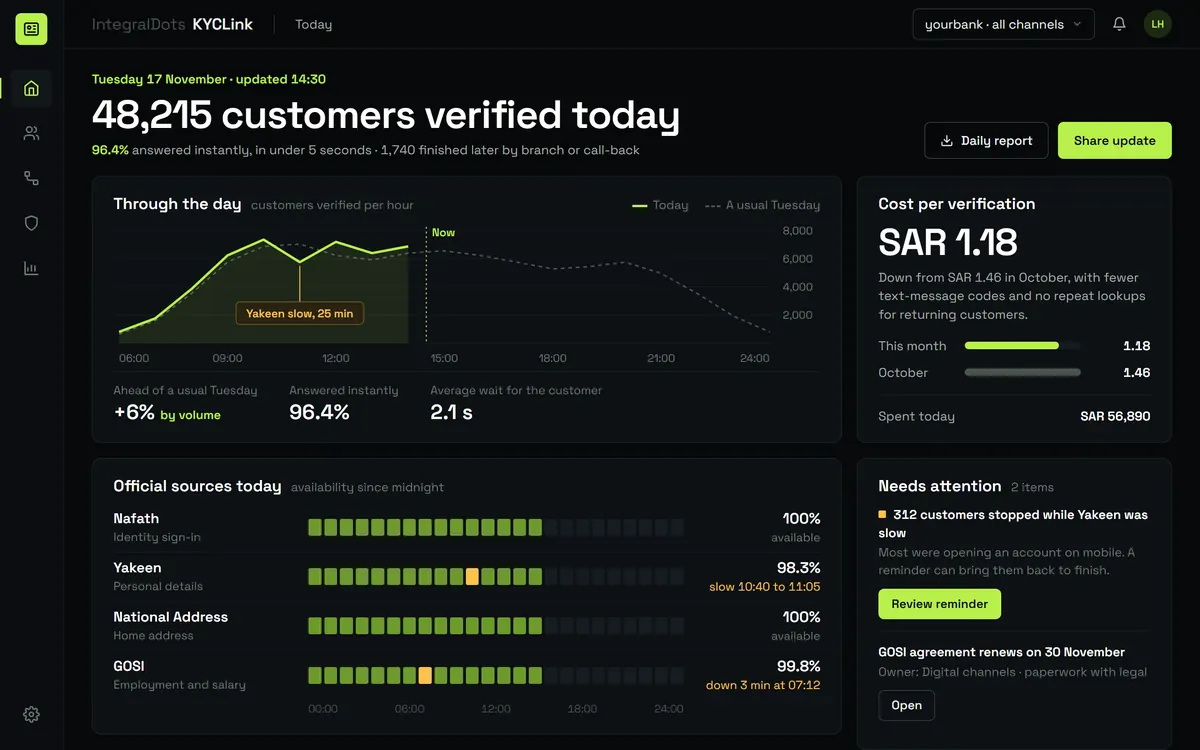 Identity
KYCLink Identity and KYC gateway
One verification API over Nafath, Yakeen and Absher OTP. VerifyFlow builds on KYCLink.
Explore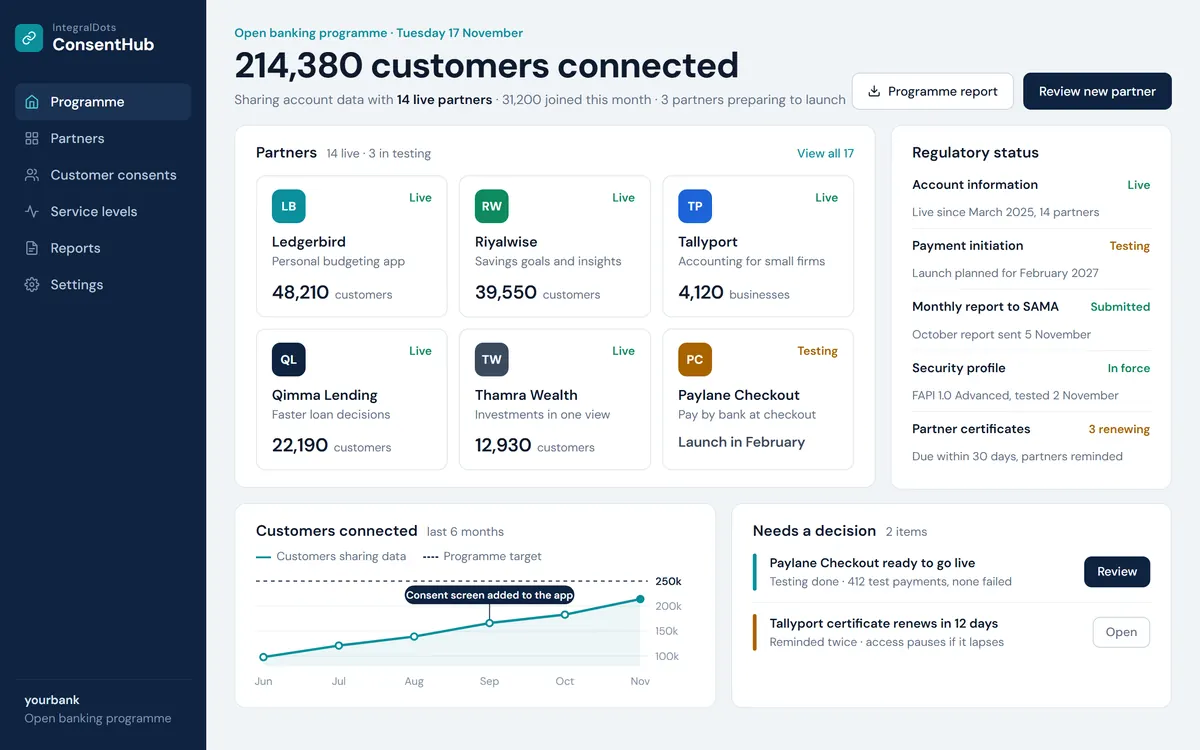 Open finance
ConsentHub Open banking platform
Consent, third-party access and FAPI security for SAMA open banking.
Explore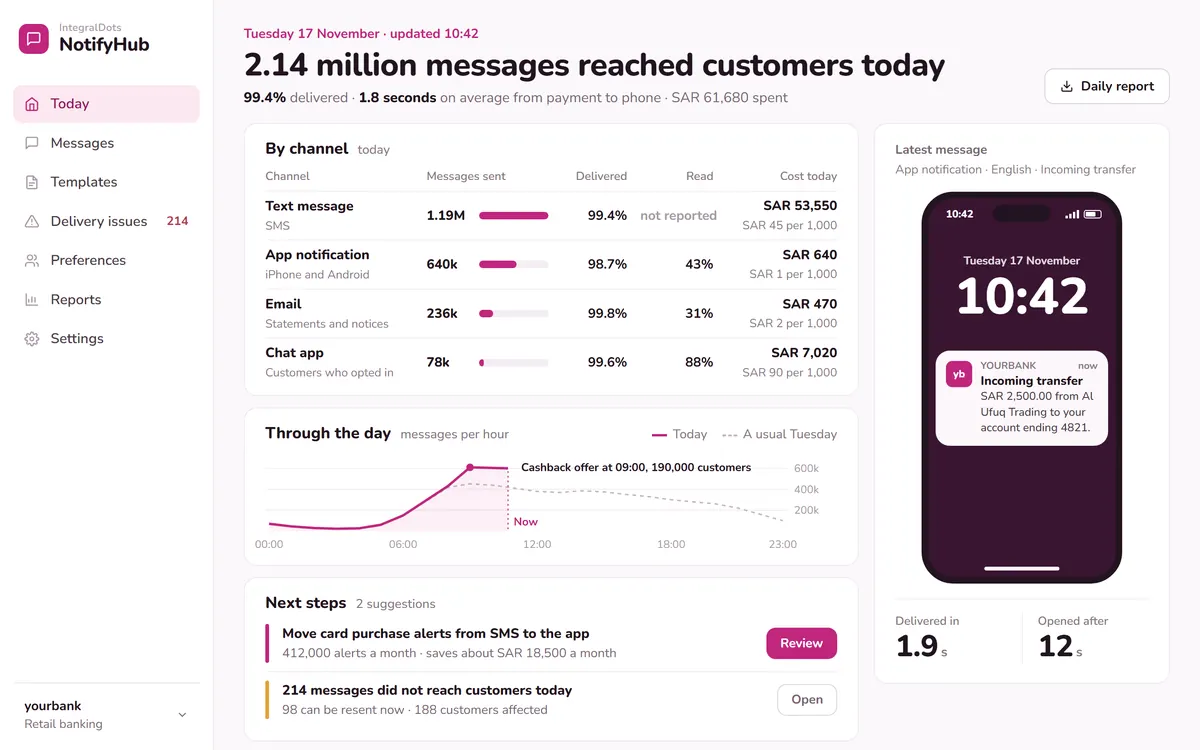 Foundation
NotifyHub Notification hub
Publish once; the hub delivers by SMS, email, push and in-app, and tracks every message.
Explore