IntegralDots NotifyHub Notification hub
Every customer message, published once and tracked to delivery.
Every system publishes its customer events to one bus. NotifyHub chooses the channel, applies the customer's preferences and language, fills an approved Arabic or English template, delivers the message and records what happened. When a provider fails, messages wait in a dead-letter queue and are replayed under control.
- ChannelsSMS, email, push, in-app and IVR
- LanguagesArabic and English, per customer
- Every messageTracked from event to receipt
- RunsInside your network or private cloud
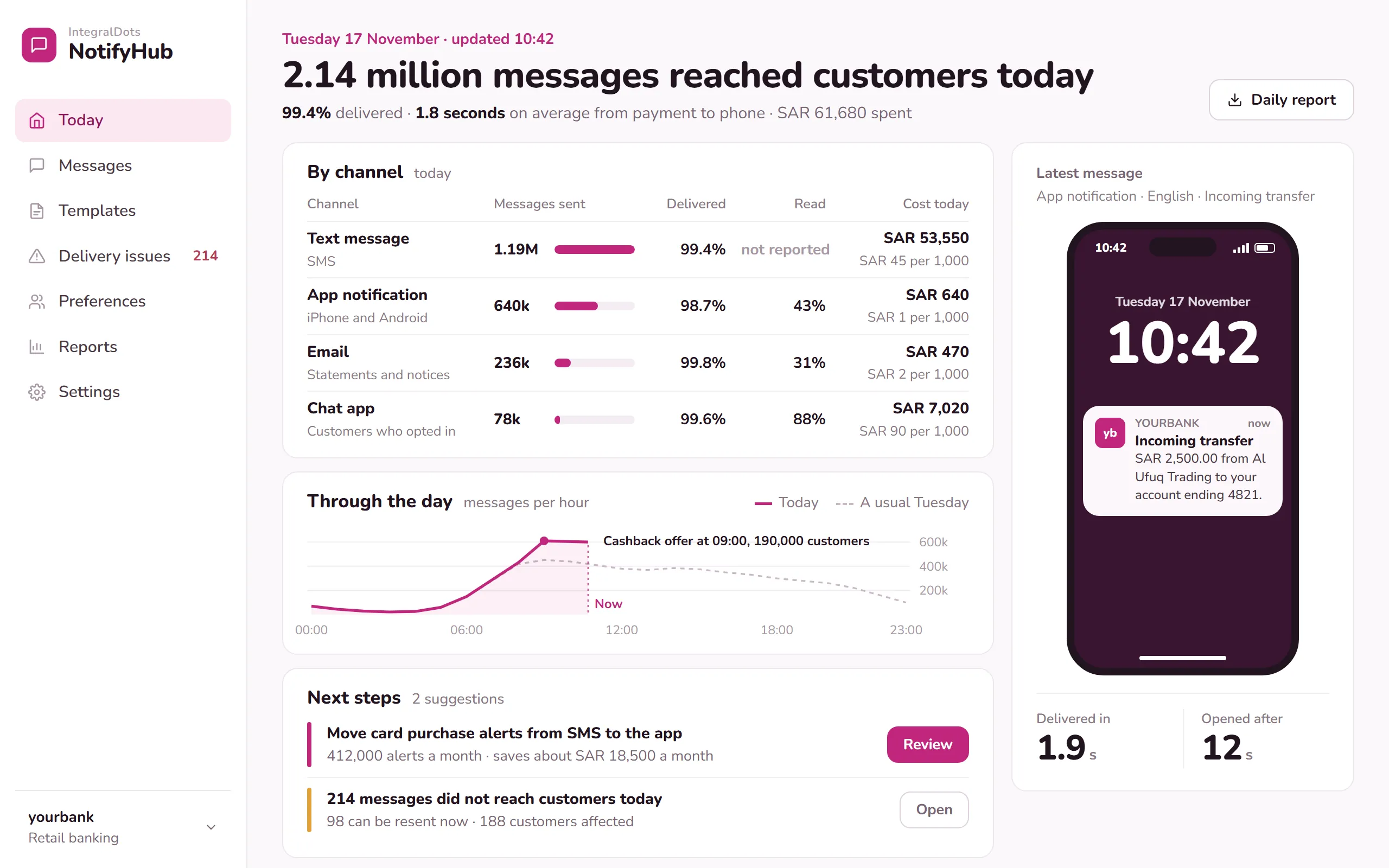
- Cost and reach by channelMessages sent, delivered and read for SMS, app notifications, email and the chat app, with the cost of each per day and per 1,000.
- Against a usual dayMessages per hour next to a usual Tuesday, with the 09:00 cashback campaign marked.
- A real messageThe latest message as the customer saw it, with the time to deliver it and the time until it was opened.
- Next stepsSuggestions with their value, such as moving card alerts from SMS to the app, and the messages that need a resend.
Product screens show demo data.
Every system sends its own messages, and nobody sees all of them.
Core banking sends SMS, the card platform sends push, the app shows in-app messages and campaigns run through another tool. Each has its own templates, provider contract and retry logic. When a customer says the OTP never arrived, the answer is spread across five logs.
- Notification code everywhereEach new system rebuilds templates, provider connections and retries, and each does it a little differently.
- Wording that driftsArabic and English texts fall out of step, and changes go live without compliance seeing them.
- Lost or doubled messagesWhen a provider times out, messages are dropped or retried blindly, sometimes twice.
- No proof of deliveryA customer or a regulator asks whether a notice was sent, and there is no single record to show them.
From business event to delivered message.
Publishers describe what happened. NotifyHub decides who to tell, how and in which language, and keeps the record.
Publish
A system publishes a business event once, such as a received transfer or an OTP request. It holds no channel logic.
Decide
Channel rules, customer preferences, quiet hours and language decide who is told, and how.
Render
The approved template for that event, channel and language is filled with the event data, with masking applied.
Deliver
Messages go to SMS, email, push, in-app or IVR, with routing, rate limits, retries and failover between providers.
Record
Every step is logged from event to receipt. Failures go to a dead-letter queue for controlled replay.
One layer for every customer message.
One bus, publish once
Publishers send business events, not messages. Topics, schemas and owners are registered, so a new system joins without writing notification code.
SMS, email, push, in-app and IVR
Provider routing with failover, rate limits and priority lanes, so an OTP never waits behind a marketing campaign.
Customer choice, applied every time
Channel, language, opt-outs and quiet hours per customer and message type. Mandatory service messages are kept apart from marketing.
Bilingual template governance
Arabic and English edited side by side, checked for variables, masking and length, and approved by a second person before going live.
Dead-letter queues and replay
Failed messages are kept with their reason. Replays are planned, approved and rate-limited, and expired messages such as OTPs are never resent.
A full delivery record
Event, decision, template version, provider and receipt for every message, searchable by customer or reference, kept to your retention policy.
Built for the teams who own customer communication.
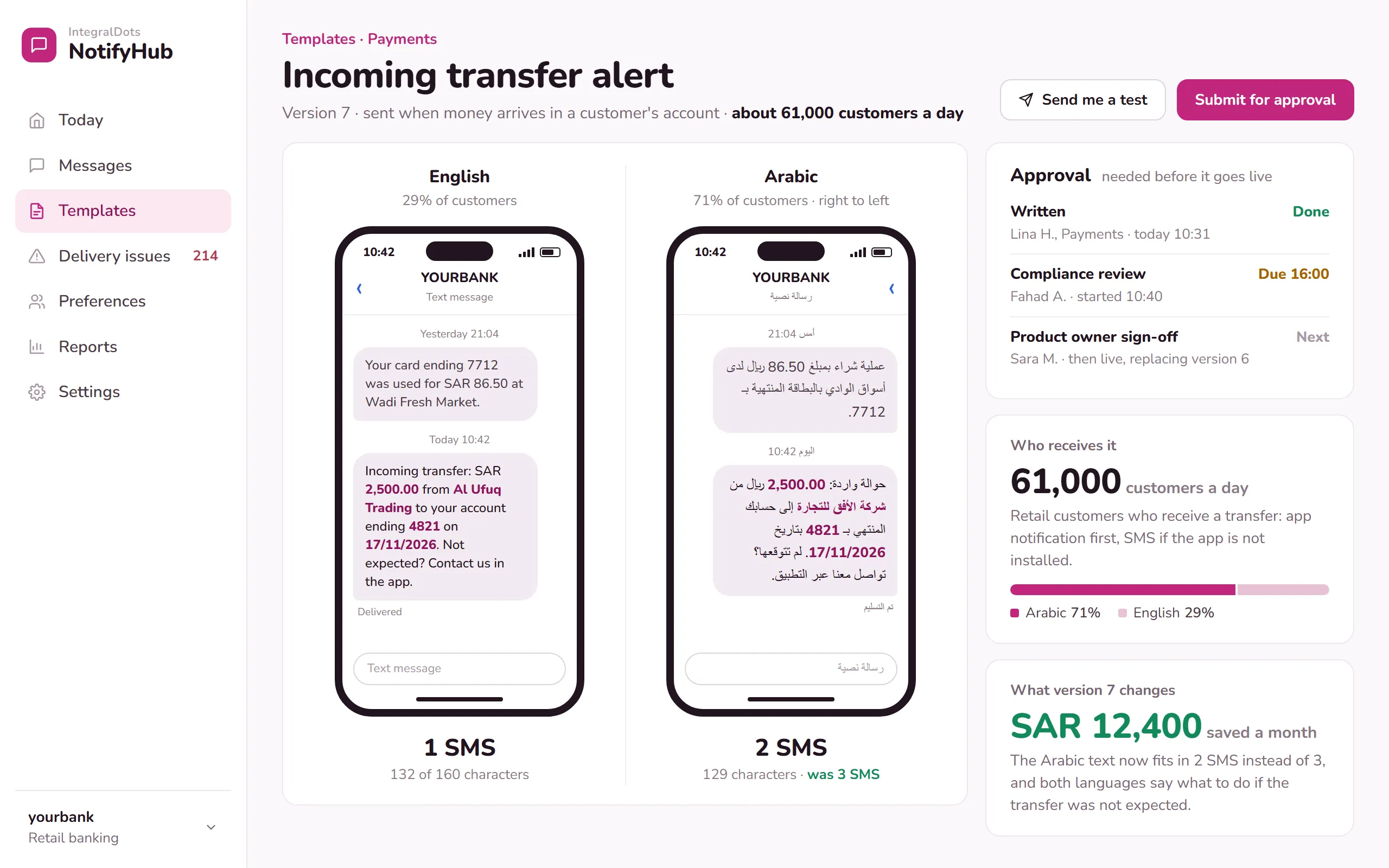
Arabic and English, governed together
Communications teams change wording without waiting for a release. Both languages are previewed as customers will see them and approved before anyone receives them.
- English previewThe SMS as an English-speaking customer sees it, with the sample values highlighted.
- Arabic previewThe same message right to left, with its length in SMS under each phone, because an Arabic SMS holds fewer characters.
- ApprovalWho wrote it, who reviews it and when it is due. Version 6 stays live until both approvers sign off.
- Who receives itAbout 61,000 customers a day, the split by language and the order of channels.
- What the change is worthThe shorter Arabic text saves SAR 12,400 a month in SMS cost.
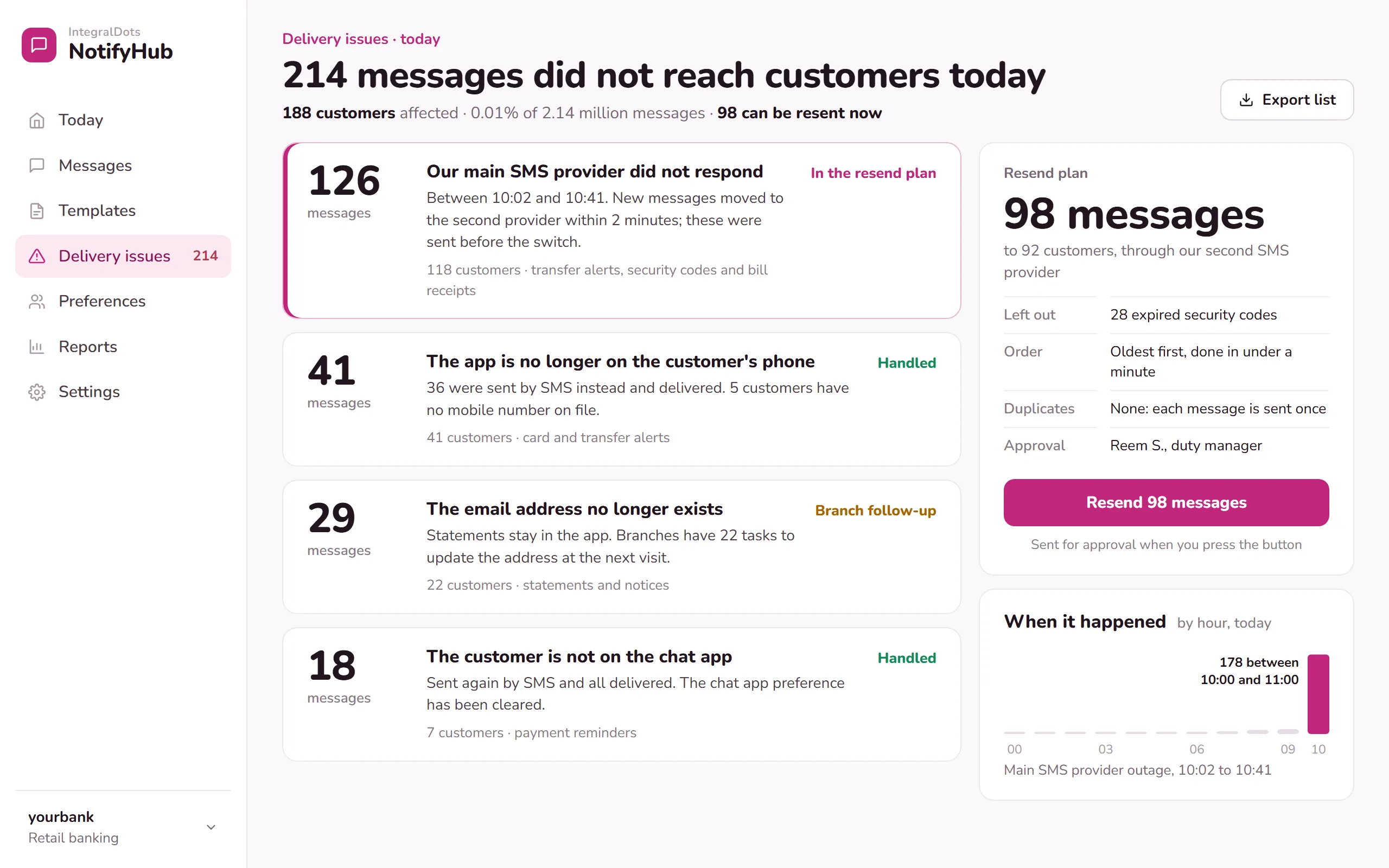
Delivery issues, explained and resent safely
When a provider or a downstream system fails, the messages are kept with their reason. Operations sees which customers are affected and resends under an approved plan.
- Grouped by reasonEach group says in plain words what went wrong, how many customers are affected and what happens next.
- Already handledMessages that reached the customer another way, such as SMS instead of the app, are marked as handled.
- Resend planHow many messages go out, to how many customers, through which provider and in which order.
- One button, with approvalThe resend goes to the duty manager for approval, and expired security codes are left out.
- When it happenedFailures by hour, so the 10:00 provider outage stands out.
Runs inside your boundary.
Customer contact data and message content stay on your infrastructure. A provider receives only what it needs to deliver a message.
Deployment
- Your data centre or private cloud tenancy
- High-availability event bus and delivery workers
- Separate priority lanes for OTPs and transaction alerts
- Works with the SMS, email and push providers you already contract
Security
- Single sign-on and role-based access for the console
- Publishers authenticated with OAuth 2.0 client credentials or mutual TLS
- Encryption in transit and at rest
- Account and card numbers masked in templates, logs and the console
Governance
- Maker-checker for templates, routing rules and replays
- Template versions kept with who approved them and when
- Consent and preferences checked before every send
- Retention that follows your records policy
Integration
- Publishers connect over REST, Kafka or IBM MQ
- SMS through SMPP or provider APIs; email through SMTP
- Push through Apple and Google push services; in-app through your app back end
- IVR calls through your contact-centre platform
- PDPL consent and data handling
- SAMA Cyber Security Framework controls
- SAMA consumer protection principles
- CloudEvents
- AsyncAPI
- SMPP 3.4
Questions channel and operations leaders ask
Do our systems have to change how they send messages?
Each system makes one change: instead of calling an SMS or email provider, it publishes a business event to NotifyHub. Existing provider connections can then be retired one system at a time.
How do OTPs stay fast during busy periods?
OTPs and transaction alerts travel in their own priority lane, with their own rate limits and provider routes, so a campaign or a payroll burst cannot hold them up. An OTP that expires before delivery is not retried.
How do Arabic and English templates stay consistent?
Both languages are edited together as one version. Checks confirm they use the same variables and masking, and both go through the same approval. Each customer receives the language they chose.
What happens when an SMS provider fails?
Messages move to a second provider if one is configured. Anything that still fails goes to a dead-letter queue with its reason, and is replayed under an approved plan once the cause is fixed.
Can we show a customer or a regulator what was sent?
Yes. Any message can be traced by customer, reference or event: what was sent, in which language, through which channel and provider, from which template version, and the delivery receipt.
Related products
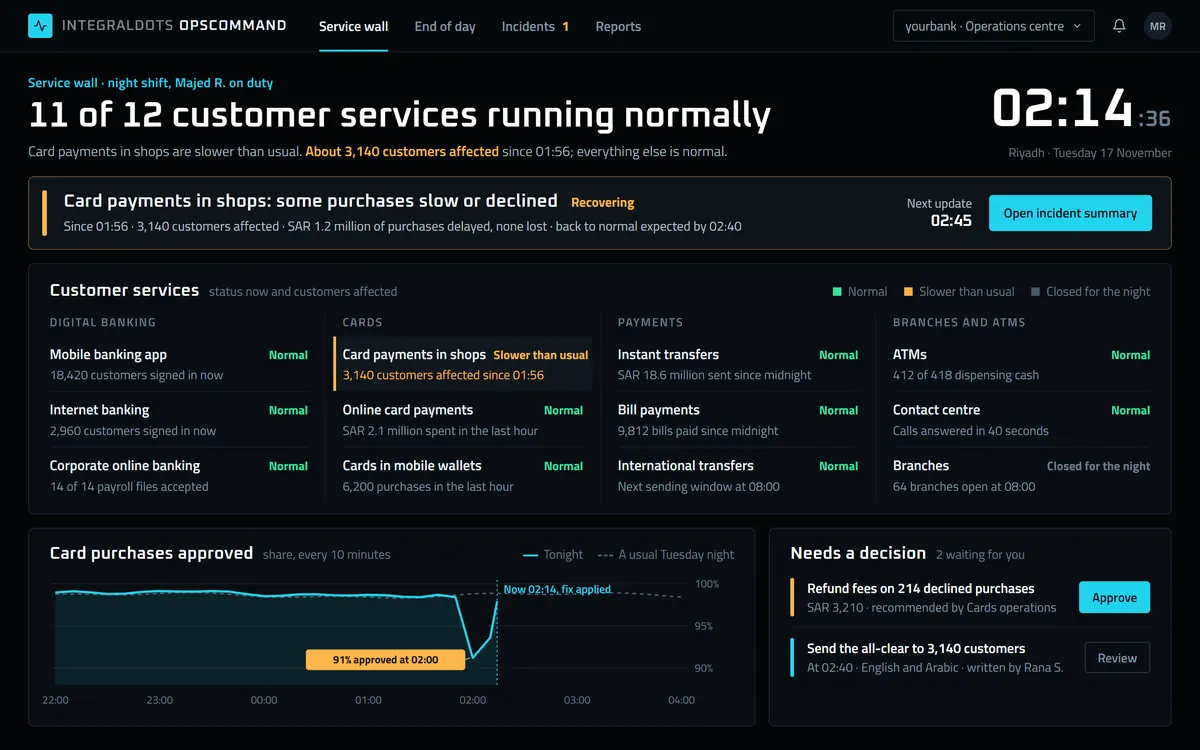 Operations
OpsCommand Operations command center
Every customer service on one wall, with customers affected and the workflow to act on it.
Explore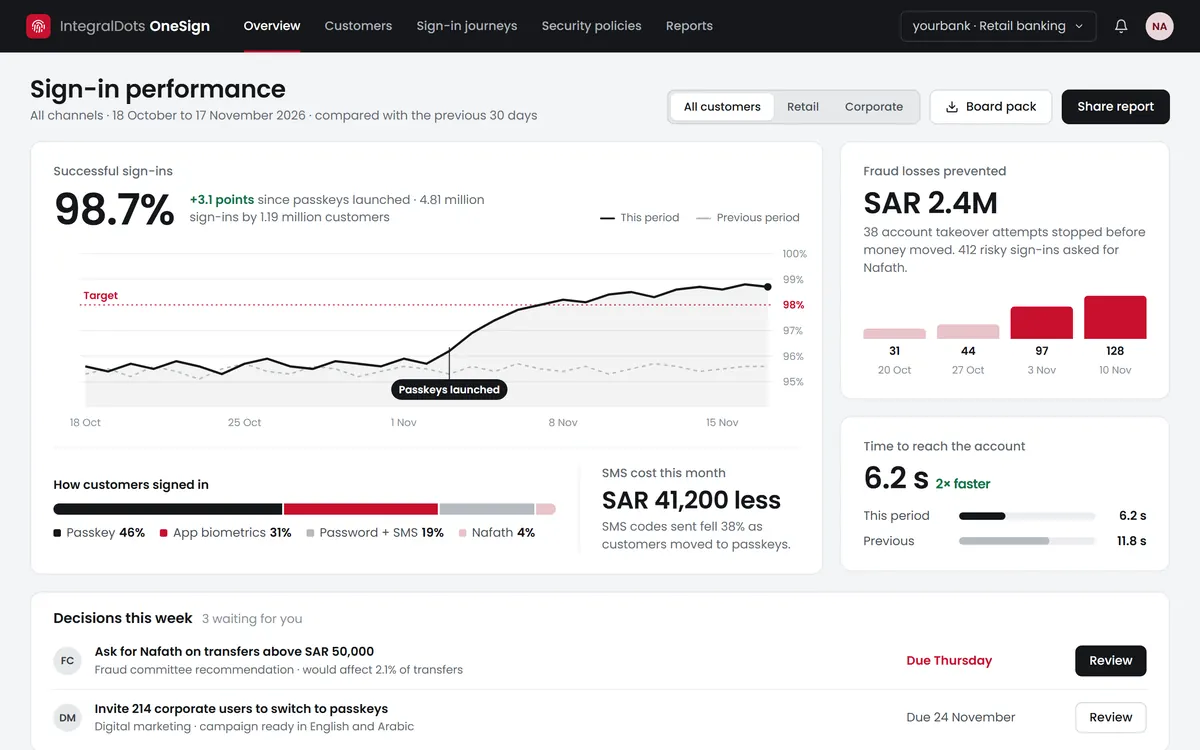 Identity
OneSign Customer identity and access (CIAM)
One customer identity across every channel, with risk-based authentication and Nafath federation.
Explore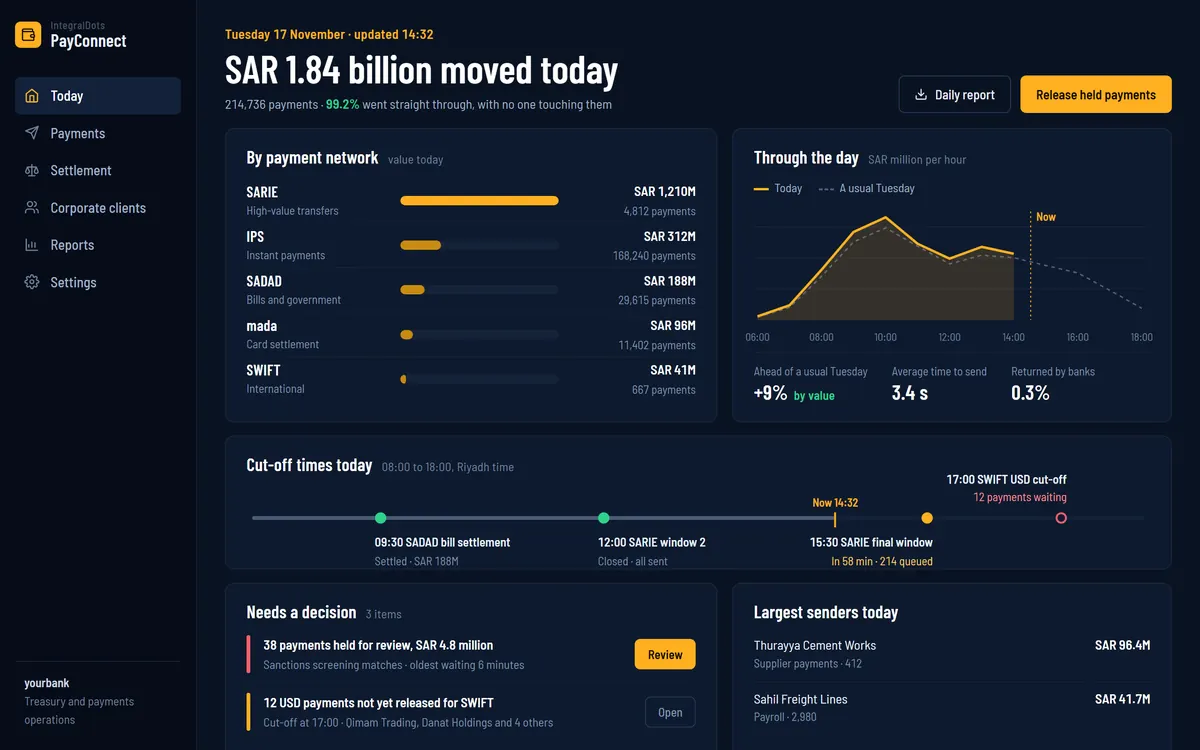 Payments
PayConnect Payment integration suite
ISO 20022 connectivity between your payment hub and core banking for instant, bulk and biller payments.
Explore