IntegralDots OpsCommand Operations command center
One wall for the services customers use, and the workflow to act on it.
OpsCommand shows every customer service, from mobile banking to ATMs, with its status, the customers affected and the money involved. It runs end of day in dependency order against the morning deadline, gives incident leads a runbook and a summary executives can read, and puts every operational action through maker-checker. At 07:00 the morning report is already written.
- WatchesPlatforms, integrations, queues and batch jobs
- RunsInside your network or private cloud
- ActionsReplay, release and failover with maker-checker
- Built forNOC teams, shift leads and the COO office
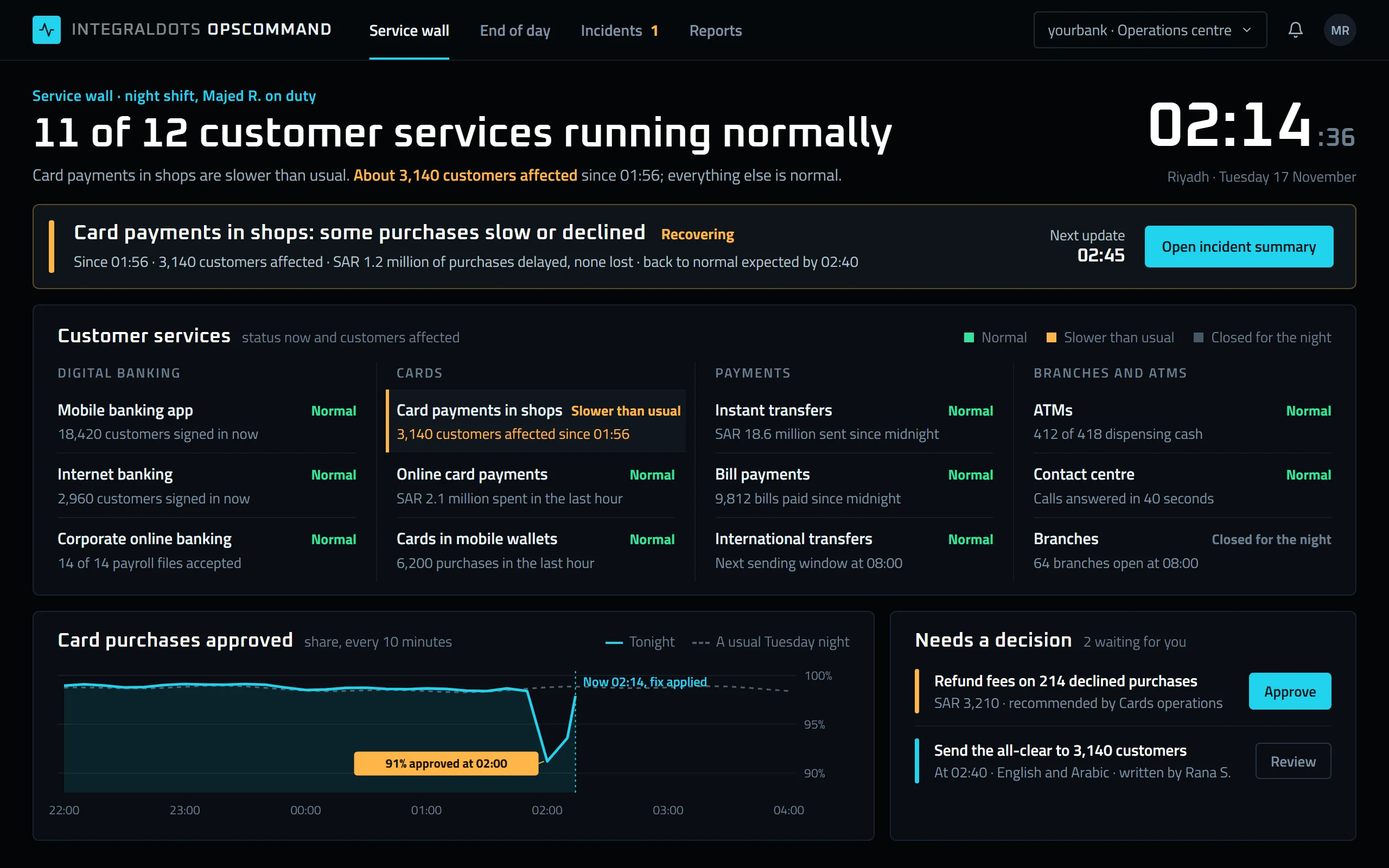
- One incident, in business termsWhat is wrong, how many customers are affected, the money involved and when service should be back, with the next update time.
- Every service customers useMobile banking, cards, payments, ATMs and branches, each with its status and what it means for customers right now.
- Against a usual nightCard approvals tonight next to a usual Tuesday night, so the drop at 02:00 and the recovery are plain to see.
- Decisions waitingFee refunds and customer messages that need a manager's approval, with the amount and the people affected.
Product screens show demo data.
Most operations floors watch a dozen consoles and run the night from a spreadsheet.
Every platform arrives with its own monitoring tool, batch scheduler and paging list. The NOC watches them side by side, end of day is tracked by hand, and the story of an incident is rebuilt the next morning from chat messages and call notes.
- Too many screensPayments, cards, core banking and channels each have their own console, so a problem is found by whoever happens to be looking.
- End of day by memoryJob order and dependencies live in run sheets and people's heads, so one late file can quietly push back start of day.
- Risky fixes at nightReplays, releases and failovers are run from scripts, with no second check and no record of who agreed to them.
- The morning scrambleExecutives ask what happened overnight, and someone spends the first hour of the day writing it up.
From scattered signals to one command workflow.
You describe your services once. OpsCommand watches them, runs the night in the right order, and keeps a record of every decision.
Connect
Reads health, metrics and job status from the monitoring, scheduling and integration tools you already run.
Model
Services, SLAs and dependencies are described once: which platforms make up a service, which jobs feed which, and who owns each.
Watch
The service wall and the end-of-day timeline show live state against SLAs and the morning deadline, and alert before a breach.
Act
Incidents open with a runbook and a war room. Replays, releases and failovers go through maker-checker.
Report
Shift handover notes and the executive morning report are built from the night's record and are ready before the day starts.
Everything the night shift needs on one screen.
Customer services, status and impact
Each customer service shows its status, the customers affected and the money involved. Platform health, SLAs and throughput sit behind it, grouped by service, channel or owner.
Dependency-aware orchestration
Jobs run in dependency order across schedulers. Controls can hold a stage, and the critical path and start-of-day forecast update as the night runs.
Runbooks, escalation and executive summaries
Declare an incident, name a lead and open the runbook. Findings and updates land on one timeline, escalation follows your policy, and executives receive a summary every 30 minutes.
Replay, release and failover
Each action is requested with a reason, expected impact and rollback, approved by a second person, run from the console and logged.
Handover, on-call and NOC workflow
On-call rosters, paging and acknowledgement, with handover notes and open items carried from one shift to the next.
An executive morning report
At a time you set, leaders receive the night on one page: availability, incidents, end-of-day timing, held items and actions taken.
Built for the people who run the bank overnight.
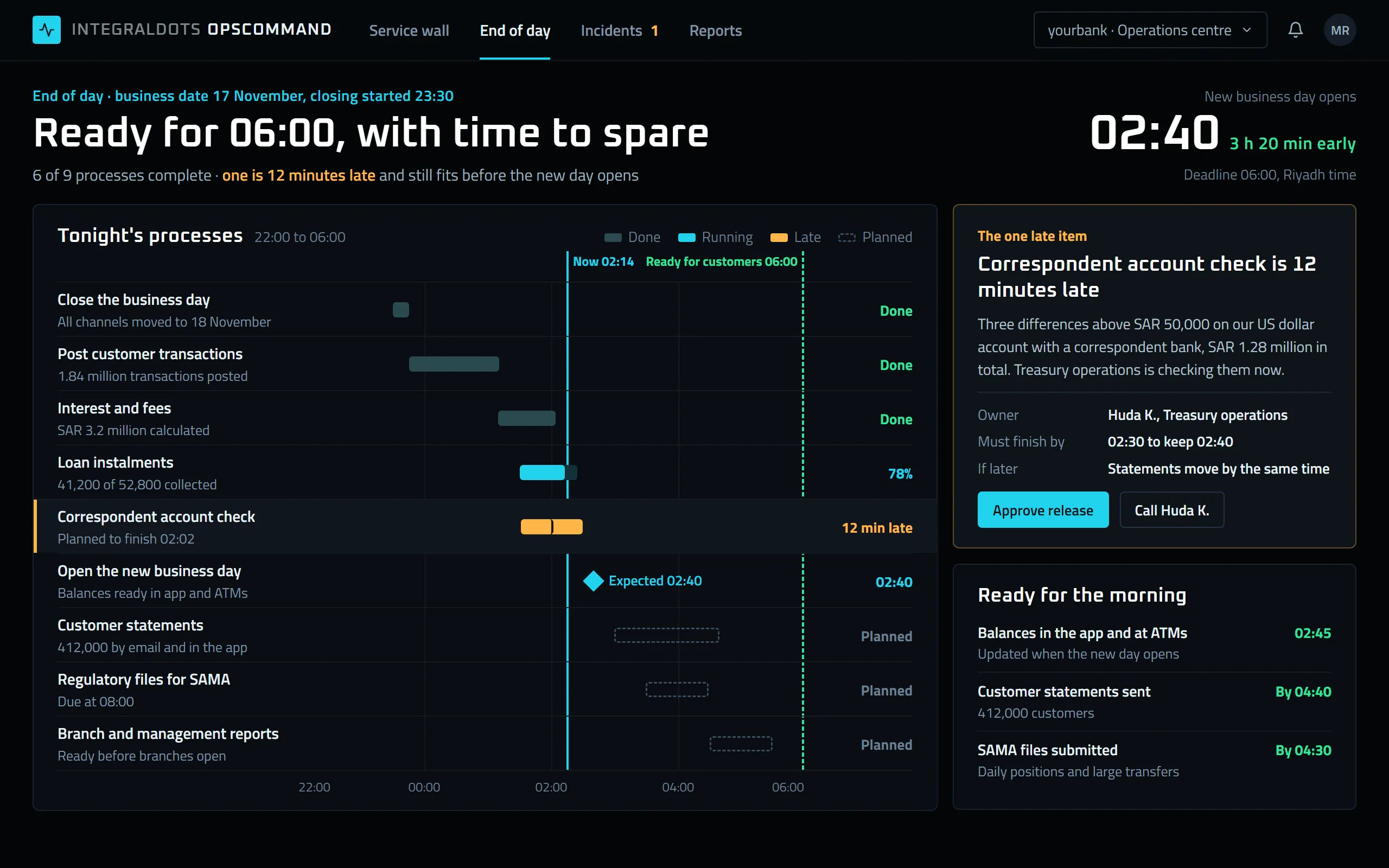
End of day, measured against 06:00
The night's work is shown as the processes the business knows: posting, interest, statements and regulatory files. The shift and the COO office see whether the bank will open on time, and which item could change that.
- Opening timeWhen the new business day will open, and the margin left before the 06:00 deadline.
- Processes on one timelineEach process from 22:00 to 06:00, done, running or planned, with a count of what it covers.
- The late itemThe one late process stands out against the now line, with how many minutes it is behind.
- Why it is lateThe reason in plain words, the amount involved, the owner and the time it must finish by, with the release one step away.
- Ready for the morningBalances, statements and SAMA files, each with the time customers or the regulator will see the result.
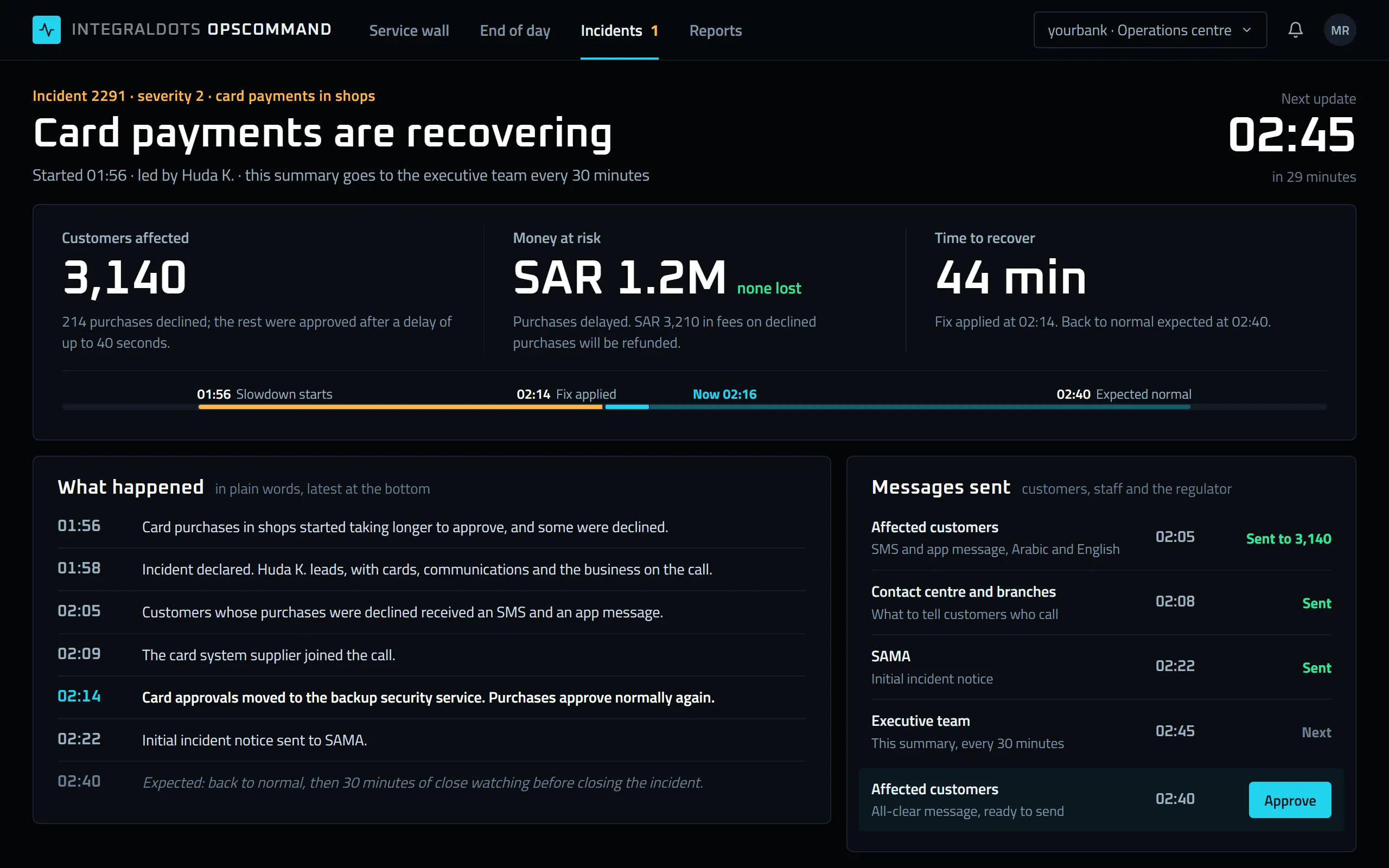
An incident summary executives can read in a minute
During an incident, the executive team receives one page: customers affected, money at risk, time to recover and what has been said to whom. The same record serves the review the next day.
- Next updateThe time of the next summary, so nobody has to ask for one.
- Impact in business termsCustomers affected, money at risk and time to recover, with what was lost and what will be refunded.
- Recovery lineFrom the first slowdown to the expected return to normal, with the fix and the current time marked.
- What happenedThe timeline in plain sentences, with the turning point highlighted.
- Messages sentCustomers, staff and SAMA, with the time each message went out and the all-clear waiting for approval.
Runs inside your boundary.
Operational data, runbooks and action logs stay on your infrastructure, under your identity provider and your change process.
Deployment
- Your data centre or private cloud tenancy
- Deployed apart from the platforms it watches, so it stays up during their outages
- High-availability setup with its own health checks
- Starts read-only; operational actions are switched on one at a time
Security
- Single sign-on with your identity provider and role-based access
- Actions run through least-privilege service identities
- Encryption in transit and at rest
- Account and card numbers masked in alerts, timelines and reports
Governance
- Maker-checker for replay, release, failover and other actions
- Every alert, decision and action logged with time and person
- Incident timelines kept as evidence for post-incident review
- Retention that follows your records policy
Integration
- Metrics and alerts from monitoring tools through APIs, Prometheus or OpenTelemetry
- Job status from batch schedulers and your integration layer
- Paging and status updates by SMS, email or Microsoft Teams
- Incident and change records in your ITSM tool through REST APIs
- SAMA Cyber Security Framework controls
- SAMA Business Continuity Management Framework
- ISO 22301 business continuity
- ITIL 4 incident management
- OpenTelemetry
Questions operations leaders ask
Does it replace our monitoring tools?
No. It reads from the monitoring, logging and scheduling tools you already run and puts their signals in one place, against services and SLAs. Specialist teams keep their own tools for deep diagnosis.
Can it run our end of day?
It can orchestrate jobs across your schedulers in dependency order, or watch an end of day your current scheduler runs. Many teams start by watching, and hand over control once the dependency model has proved itself over several nights.
How are operational actions controlled?
Each action type, such as a message replay, a job release or a failover, is defined with who may request it, who must approve it and what it may touch. The request carries a reason, the expected impact and a rollback plan, the approver sees the same information, and the result is logged.
What goes into the morning report?
Availability by service, incidents and their status, end-of-day timing against the window, items held or released, actions taken overnight and open handover notes. You choose the recipients and the send time.
How does a rollout usually start?
With the service wall for a handful of critical services and their SLAs, then end of day, then governed actions. The service and dependency model is the main piece of work, and it is useful on its own.
Related products
 AI operations
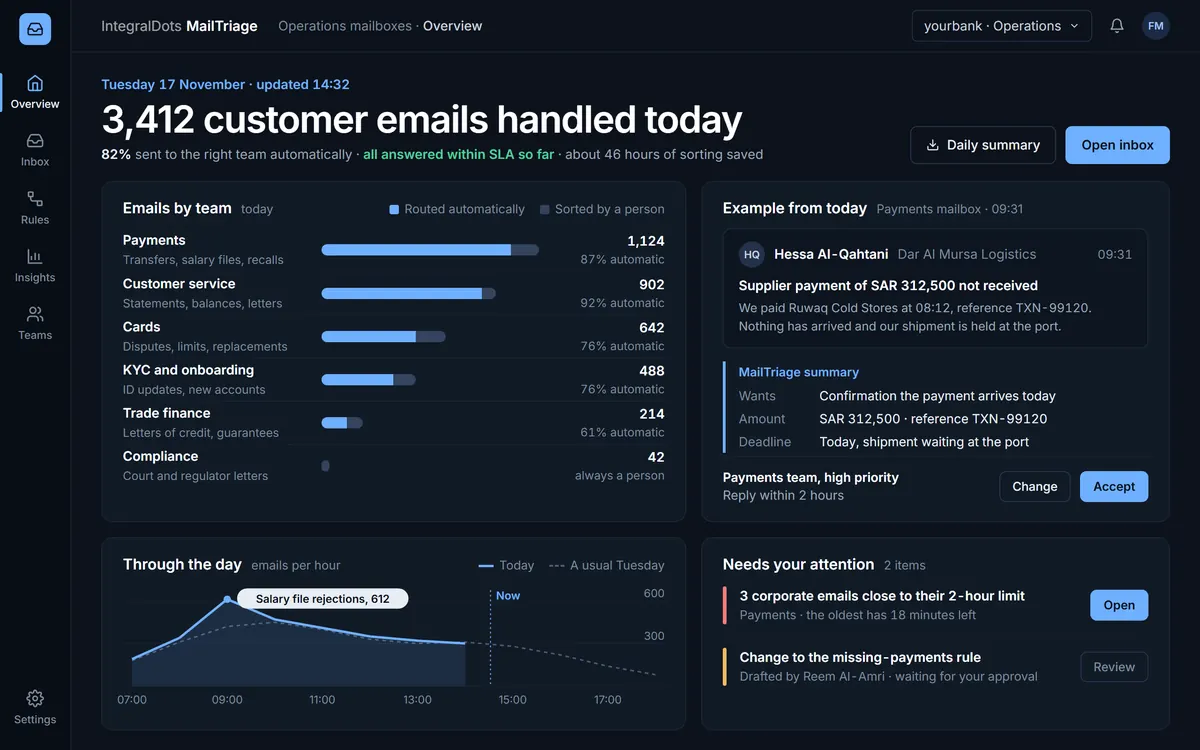
MailTriage AI triage for operational email
AI triage for the shared mailboxes your operations run on.
Explore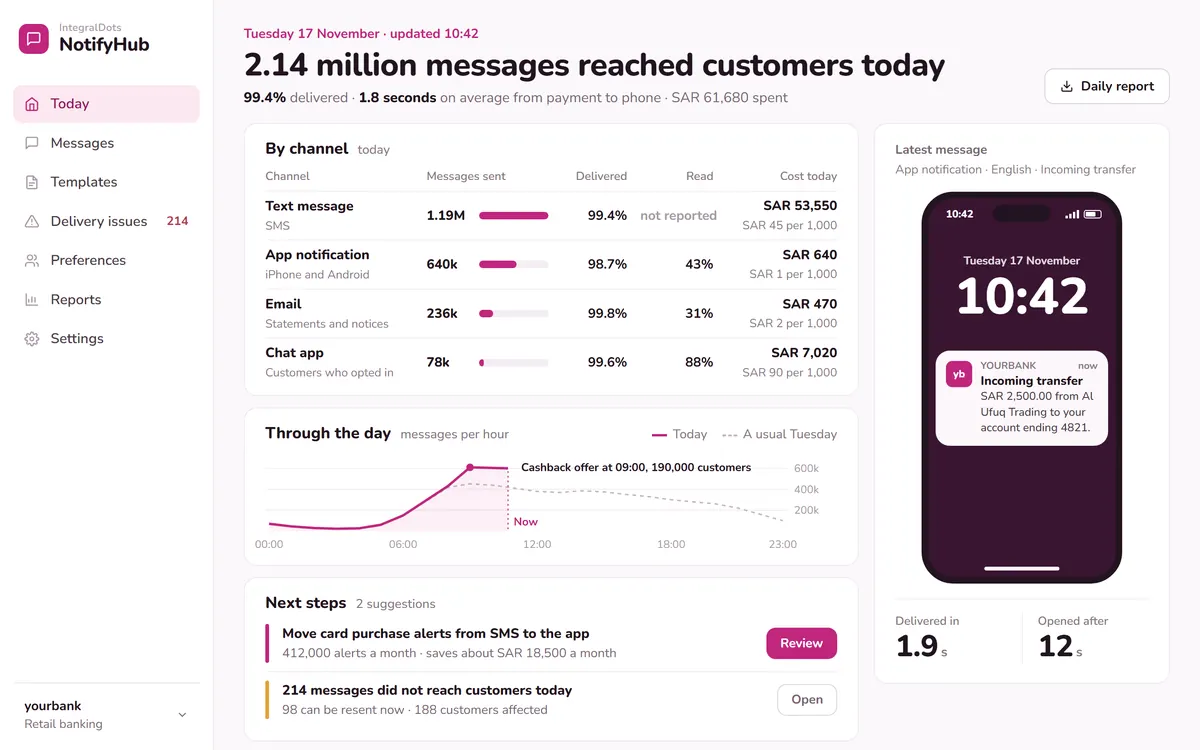 Foundation
NotifyHub Notification hub
Publish once: NotifyHub delivers by SMS, email, push, in-app and IVR, and tracks every message.
Explore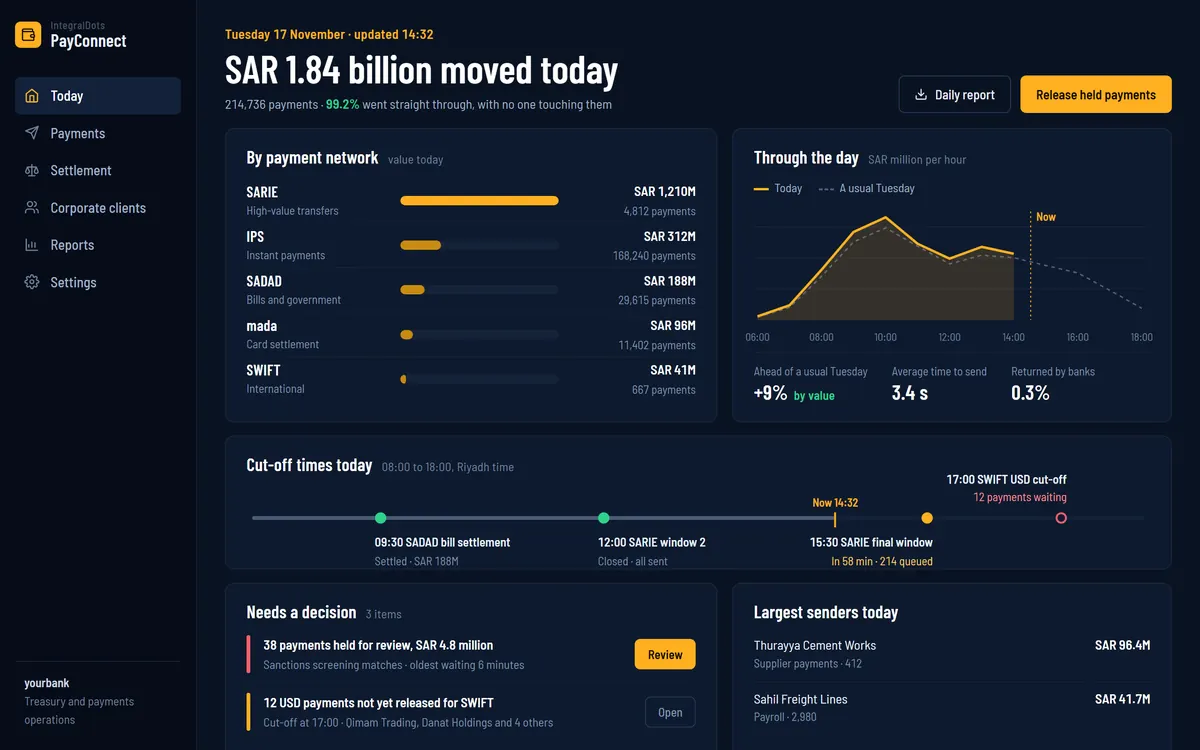 Payments
PayConnect Payment integration suite
ISO 20022 connectivity between your payment hub and core banking for instant, bulk and biller payments.
Explore